
Introduction
Canva has made design simple for everyone, but in 2026, creators are no longer working alone. AI design tools are now doing a big part of the heavy lifting. From generating layouts to writing copy and resizing designs, AI tools help Canva creators work faster and smarter.
If you sell Canva templates, create social media posts, or build digital products, these tools can save hours every week. The goal is not to replace creativity but to speed up repetitive tasks.
In this guide, I will walk you through the top AI design tools Canva creators are actually using today, how each one helps, and when you should use them. This is practical, beginner friendly, and written to help you choose wisely.
Why Canva Creators Are Using AI Tools
Design demand is growing fast.
Creators are expected to post more, design more, and deliver faster.
AI tools help Canva creators:
- Generate ideas quickly
- Improve layouts and visuals
- Write captions and headlines
- Repurpose designs across platforms
Instead of spending hours on small tweaks, creators focus on creativity and sales.
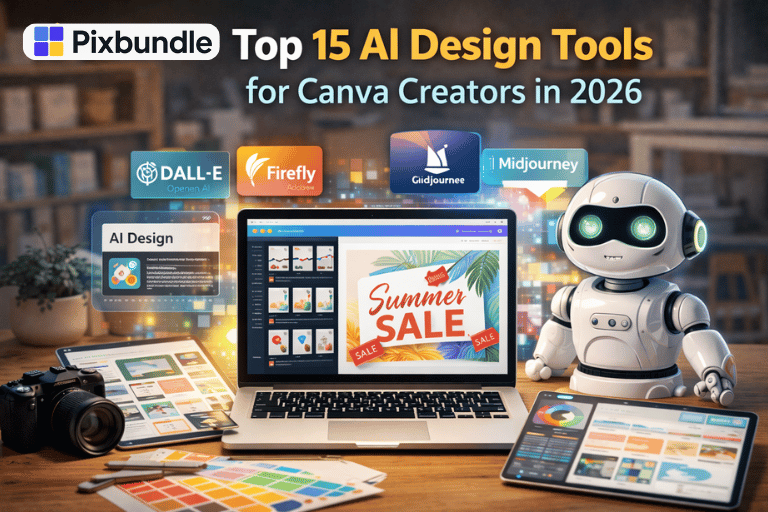
Explore Top 15 AI Design Tools for Canva Creators in 2026 below:
1. Canva Magic Design
Canva Magic Design uses AI to create full layouts from a simple prompt or image.
You enter your idea and Canva generates ready made designs.
This is perfect for beginners and fast content creation.
Best use case: Social posts, presentations, quick mockups
2. Canva Magic Write
Magic Write helps with text inside Canva.
It generates headlines, descriptions, and short copy directly inside your design.
Best use case: Instagram captions, slide text, marketing copy
3. Midjourney
Midjourney creates high quality AI images that Canva creators import into their designs.
It is widely used for backgrounds, covers, and creative visuals.
Best use case: Cover designs, posters, digital product mockups
Visit: https://www.midjourney.com
4. DALL·E
DALL·E generates realistic and illustrated images using text prompts.
Many Canva creators use it to create unique visuals without stock photos.
Best use case: Blog graphics, thumbnails, social visuals
Visit: https://openai.com/dall-e
5. Adobe Firefly
Adobe Firefly focuses on commercial safe AI images.
Designers use it to create elements they later refine in Canva.
Best use case: Brand visuals, textures, design elements
Visit: https://www.adobe.com/firefly
6. Remove.bg
Remove.bg instantly removes backgrounds from images.
This tool saves massive time for product images and mockups.
Best use case: Mockups, profile images, product visuals
7. Smartmockups
Smartmockups creates realistic product mockups.
Canva users often export designs and apply them to mockups.
Best use case: Ebook covers, template previews, Etsy listings
8. Looka
Looka uses AI to generate logos and brand kits.
Canva creators use it for quick brand foundations.
Best use case: Brand kits, logo ideas, client drafts
9. Fontjoy
Fontjoy uses AI to suggest font pairings.
Typography matters a lot in Canva templates.
Best use case: Brand design, social posts, presentations
10. Khroma
Khroma helps generate color palettes using AI.
You train it based on your preferences.
Best use case: Branding, consistent template design
11. Copy.ai
Copy.ai helps generate marketing text.
Creators use it alongside Canva for ads and landing visuals.
Best use case: Ad copy, headlines, short descriptions
12. ChatGPT
ChatGPT helps Canva creators plan content and generate ideas.
It is widely used for prompts, outlines, and captions.
Best use case: Content planning, prompt writing, copy ideas
13. Pictory
Pictory turns text into short videos.
Canva creators use it to repurpose designs into reels.
Best use case: Reels, short videos, marketing clips
14. Cleanup.pictures
Cleanup.pictures removes unwanted objects from images.
This tool helps polish visuals before adding them to Canva.
Best use case: Image cleanup, background fixes
15. Designs.ai
Designs.ai combines multiple AI design tools in one platform.
It supports logos, videos, and graphics.
Best use case: All in one design workflows
How Canva Creators Use These Tools Together
Most creators do not rely on one tool.
A common workflow looks like this:
- Generate image with AI
- Edit layout in Canva
- Write copy with AI
- Create mockups
This saves time and increases output.
Using AI Tools to Build Digital Products Faster
Many sellers use AI tools to create Canva templates, planners, and bundles.
They speed up design while keeping quality high.
You can explore ready-made digital assets here: https://pixbundle.com/shop
Common Mistakes Canva Creators Make With AI Tools
- Using too many tools at once
- Relying fully on AI without editing
- Ignoring brand consistency
- Overdesigning templates
AI should assist, not replace creativity.
FAQs
Are AI design tools beginner friendly
Yes. Most tools are designed for non designers.
Do I need Canva Pro to use AI tools
Not all tools require Canva Pro.
Can AI tools replace designers
No. They support designers, not replace them.
Are AI images safe for commercial use
Check each tool’s license before selling.
Can I sell designs made with AI tools
Yes, if licensing allows it.
Which AI tool is best for Canva creators
Canva Magic Design is the easiest starting point.
Do these tools work for Etsy sellers
Yes. Many Etsy sellers use them daily.
Will AI designs look generic
They can if not customized properly.
Should beginners use multiple AI tools
Start with one or two tools first.
Conclusion
AI design tools are helping Canva creators work faster and sell more.
You do not need to use all tools. Choose what fits your workflow.
If you want to save time and explore ready-made digital assets, visit the Pixbundle
Work smarter. Design better. Build faster.
Leave a Reply