

Introduction
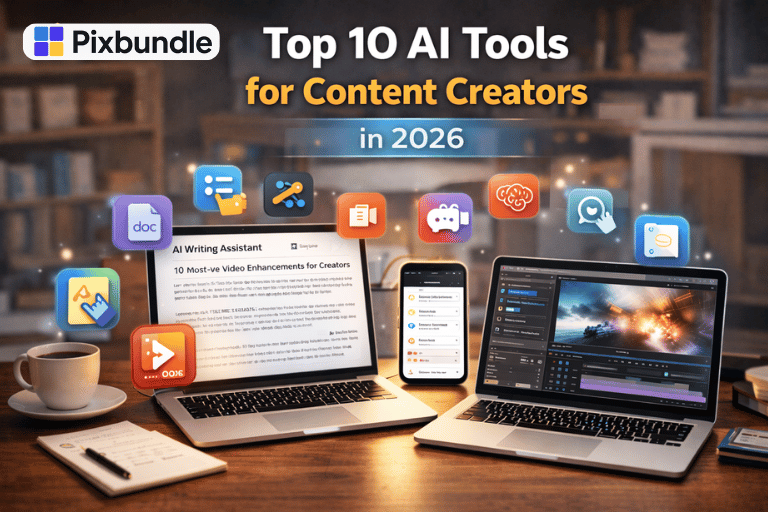
Content creation has changed fast in the last few years. Writing, designing, editing, and posting content manually now feels slow for most creators. This is why AI tools are becoming essential, not optional.
Content creators are using AI to write faster, design smarter, repurpose content, and stay consistent without burnout. These tools are not replacing creativity. They are supporting it.
In this guide, I will walk you through the top 10 AI tools content creators are actually using today. No hype, no complex explanations. Just clear use cases, who each tool is for, and why it works.
1. ChatGPT
ChatGPT is one of the most widely used AI tools for content creators.
Creators use it for:
- Blog outlines
- Video scripts
- Instagram captions
- Content ideas
- Email drafts
It works best when you give clear prompts. Many creators speed this up by using ready-made prompt bundles instead of starting from zero.
Explore AI prompt bundles here: https://pixbundle.com/ai-prompts-bundles
Visit: https://openai.com/chatgpt
2. Canva AI
Canva AI helps creators design faster without professional skills.
Popular features include:
- Magic Design
- Text to image
- Background remover
- Auto resize for platforms
It is heavily used by social media managers, coaches, and small businesses.
Visit: https://www.canva.com
3. Jasper AI
Jasper AI is focused on marketing and long-form content.
It is useful for:
- Blog writing
- Ad copy
- Sales pages
- Brand voice consistency
This tool works best for creators who produce content at scale.
Visit: https://www.jasper.ai
4. Notion AI
Notion AI helps creators organize, plan, and repurpose content.
Common use cases:
- Content calendars
- Blog drafts
- Idea storage
- Workflow management
Many creators combine Notion AI with ready-made Notion templates to save time.
Browse digital productivity assets: https://pixbundle.com/shop
Visit: https://www.notion.so/product/ai
5. Grammarly AI
Grammarly AI improves clarity, tone, and readability.
It is especially useful for:
- Blog posts
- Emails
- Social captions
- Website copy
Creators use it to polish content rather than rewrite everything.
Visit: https://www.grammarly.com
6. Pictory
Pictory helps turn text content into videos.
Creators use it to:
- Repurpose blog posts
- Create short videos
- Generate captions automatically
This is useful for creators focused on YouTube Shorts, Reels, and TikTok.
Visit: https://pictory.ai
7. Descript
Descript simplifies video and podcast editing.
Key benefits:
- Edit videos like text
- Remove filler words
- Auto captions
- Screen recording
It saves hours for creators who publish audio and video regularly.
Visit: https://www.descript.com
8. Copy.ai
Copy.ai is popular for short-form content.
It is used for:
- Instagram captions
- Hooks and headlines
- Product descriptions
- Email subject lines
It is beginner friendly and easy to test ideas quickly.
Visit: https://www.copy.ai
9. Midjourney
Midjourney creates AI-generated images.
Content creators use it for:
- Blog visuals
- Social graphics
- Concept art
- Thumbnails
It is mostly used for inspiration and creative visuals.
Visit: https://www.midjourney.com
10. Opus Clip
Opus Clip helps creators turn long videos into short clips.
It is useful for:
- Podcast clips
- YouTube highlights
- Reels and Shorts
This tool focuses on speed and automation.
Visit: https://www.opus.pro
How Creators Use AI Tools Together
Most creators do not rely on just one tool.
A common workflow looks like this:
- ChatGPT for ideas
- Canva for visuals
- Notion AI for planning
- Pictory or Opus Clip for video
This stack saves time and increases output.
Common Mistakes Content Creators Make With AI
- Using AI without clear prompts
- Copy pasting without editing
- Relying on one tool only
- Ignoring audience tone
AI works best when guided properly.
FAQs
Are AI tools replacing content creators
No. They support creators by saving time.
Do I need paid AI tools
Not always. Many tools offer free plans.
Can beginners use AI tools
Yes. Most tools are beginner friendly.
Are AI-generated contents safe for SEO
Yes, if edited and written for humans.
Which AI tool is best for blogging
ChatGPT combined with Grammarly works well.
Can AI tools help with video content
Yes. Tools like Pictory and Opus Clip are popular.
How many AI tools should I use
Use only what fits your workflow.
Are AI prompt bundles useful
Yes. They save time and improve results.
Conclusion
AI tools are no longer optional for content creators who want to stay consistent and competitive.
The right tools help you create more without burning out.
If you want to speed up your workflow, explore ready-made digital assets and AI prompt bundles on Pixbundle.
Visit the Pixbundle homepage to get started: https://pixbundle.com
Use AI wisely. Create smarter. Grow faster.
Leave a Reply