


Introduction
Planning sounds simple until your tasks start spreading across different apps. One list is in your notes app. Deadlines are in a calendar. Random ideas are inside a spreadsheet you forgot to update.
Many people try both Notion and Google Sheets but end up switching back and forth every few weeks. One feels too complex. The other feels too rigid.
If you are stuck choosing between Notion vs Google Sheets for planning, this guide will help you decide clearly. We’ll break down how each tool works, where it shines, and which one fits your style of thinking and organizing.
No hype. Just practical clarity.
Quick Answer: Notion vs Google Sheets for Planning
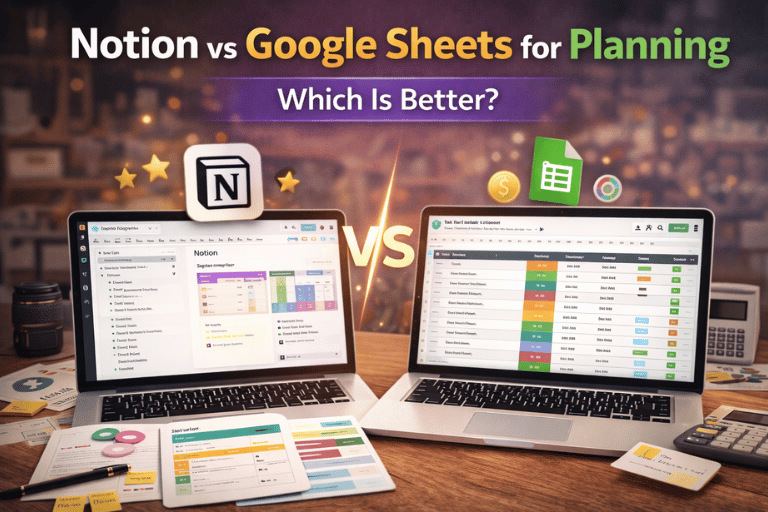
Notion is better for visual, structured planning with dashboards, databases, and flexible layouts.
Google Sheets is better for structured data, calculations, and simple task tracking using rows and columns.
If you prefer visual systems, choose Notion.
If you prefer spreadsheets and formulas, choose Google Sheets.
Why This Matters
Why Most People Struggle With Planning Tools
The problem is rarely motivation. It’s system confusion.
Some common issues:
- Too many apps doing similar things
- Switching tools every month
- Overcomplicated templates
- Tracking tasks but never reviewing them
Planning fails when the tool becomes the distraction.
Choosing the right platform reduces friction. And friction is what usually breaks consistency.
Understanding Notion for Planning
Notion is an all-in-one workspace. You can create dashboards, databases, notes, task boards, and linked systems inside one place.
It works more like building your own planning system rather than filling in cells.
You can:
- Create task boards (Kanban style)
- Track deadlines with calendar view
- Build project dashboards
- Connect databases together
It feels flexible. Sometimes too flexible.
But that flexibility is also its strength.
You can explore structured digital systems like planners and templates inside our digital shop at Pixbundle, where many creators build organized systems that mirror Notion-style dashboards:
https://pixbundle.com/shop
Understanding Google Sheets for Planning
Google Sheets is a spreadsheet tool.
It works with rows, columns, formulas, filters, and calculations.
For planning, people usually create:
- Task trackers
- Budget planners
- Content calendars
- Project timelines
Sheets is structured from the start. There is less design freedom, but more calculation power.
If you love numbers and logical layouts, Sheets feels natural.
If you prefer visual blocks and drag-and-drop organization, it may feel limiting.
Official overview:
https://www.google.com/sheets/about/
Notion vs Google Sheets: Key Differences
1. Flexibility
Notion is extremely flexible. You can design almost anything.
Google Sheets is structured. You must think in rows and columns.
If you like freedom, Notion wins.
If you like structure, Sheets wins.
2. Learning Curve
Notion takes time to understand fully.
Google Sheets is easier if you already know Excel or basic spreadsheets.
Beginners sometimes feel overwhelmed inside Notion because there are too many layout choices.
Sheets feels simpler but less visually appealing.
3. Collaboration
Both tools support collaboration.
Notion allows comments, page sharing, and workspace teams.
Google Sheets allows real-time editing and commenting. It is very strong for team collaboration.
If you work with data-heavy teams, Sheets may feel more practical.
4. Automation and Formulas
Google Sheets is powerful with formulas.
You can calculate totals, track budgets automatically, and build financial systems easily.
Notion supports formulas too, but they are more limited compared to spreadsheets.
If your planning includes numbers and calculations, Sheets is stronger.
5. Visual Planning
Notion offers:
- Kanban boards
- Calendar views
- Gallery views
- Linked databases
Sheets is mostly grid-based.
If you are a visual thinker, Notion feels more intuitive.
When Notion Is the Better Choice
Choose Notion if:
- You want a visual dashboard
- You manage multiple projects
- You prefer drag-and-drop systems
- You need everything in one workspace
Content creators, freelancers, and digital product sellers often prefer Notion.
If you are also building digital products like planners or Canva templates, structured systems matter. You can see how digital bundles are organized in this related guide:
https://pixbundle.com/blog/how-people-sell-ready-made-digital-bundles
When Google Sheets Is the Better Choice
Choose Google Sheets if:
- You manage budgets
- You track numbers regularly
- You love formulas
- You want something simple and fast
Sheets works very well for:
- Expense tracking
- Revenue monitoring
- KPI dashboards
- Structured task lists
If your planning is calculation-based, Sheets feels reliable and straightforward.
Step-by-Step: How to Choose Between Notion and Google Sheets
Step 1 – Identify Your Planning Style
Ask yourself:
Do you think visually or logically?
If you prefer boards and layouts, lean toward Notion.
If you prefer rows and formulas, lean toward Sheets.
Write down what you dislike about your current system. That usually reveals the answer.
Step 2 – Define What You Track
Are you tracking:
- Tasks only?
- Projects?
- Budgets?
- Content calendars?
If numbers matter, Sheets handles calculations better.
If relationships between tasks and projects matter, Notion handles linking better.
Step 3 – Consider Simplicity
Sometimes the best system is the one you will actually use.
Notion can become complex quickly.
Sheets can stay minimal and focused.
Choose the tool that reduces friction, not the one with more features.
Step 4 – Test for Two Weeks
Instead of guessing, test both tools for two weeks.
Use one system consistently.
Review your experience.
Which one felt natural?
Which one felt forced?
Your answer will become clear.
Who Should Use Notion
Notion is ideal for:
- Students managing assignments
- Content creators planning posts
- Freelancers tracking clients
- Startup founders organizing projects
- Digital product sellers managing launches
If you create social media systems or digital planners, you may also enjoy structured design tools like Canva templates that support visual planning workflows:
https://pixbundle.com/blog/canva-templates-that-sell-on-etsy
Who Should Use Google Sheets
Google Sheets is ideal for:
- Accountants
- Budget planners
- Analysts
- Data-focused teams
- Operations managers
If you live inside numbers daily, Sheets feels efficient and direct.
Common Planning Mistakes to Avoid
1. Switching Tools Too Often
Constantly changing systems kills momentum.
Commit for at least a month before switching.
2. Using Overcomplicated Templates
Many people download advanced templates they never fully use.
Start simple.
Add complexity only when needed.
3. Tracking Everything but Reviewing Nothing
Tracking tasks is not planning.
Reviewing weekly is planning.
Without review, any tool fails.
4. Copying Someone Else’s Workflow
What works for a YouTuber may not work for a finance manager.
Build a system around your real needs.
Frequently Asked Questions
Is Notion better than Google Sheets for planning?
It depends on your needs. Notion is better for visual dashboards and linked databases. Google Sheets is better for calculations and structured tracking.
Can I use both together?
Yes. Many people use Notion for tasks and Google Sheets for budgets.
You do not need to choose only one.
Is Notion free?
Notion offers a free plan for individuals. Advanced team features require paid plans.
Is Google Sheets free?
Yes. Google Sheets is free with a Google account.
Which is better for students?
Students who prefer visual organization may prefer Notion.
Students tracking grades or budgets may prefer Sheets.
Which tool is better for content planning?
Notion works well for content dashboards and linking ideas to publishing calendars.
Sheets works well for structured content tracking with dates and statuses.
Does Notion work offline?
Notion has limited offline capability, but it performs best online.
Can Google Sheets replace project management tools?
For simple projects, yes.
For complex workflows, it may feel limited.
Which tool is easier for beginners?
Google Sheets is usually easier if you understand spreadsheets.
Notion may require more initial learning but offers more flexibility long term.
Conclusion
Planning does not fail because of lack of effort. It fails because of friction.
Notion gives flexibility and visual control.
Google Sheets gives structure and calculation power.
There is no universal winner. There is only what fits your thinking style.
Choose the tool that feels natural. Use it consistently. Review weekly.
Consistency matters more than features.
If you are building planning systems for content, business, or digital products, explore structured templates and digital bundles at Pixbundle.
Browse our digital tools and planners here:
https://pixbundle.com/shop
Start simple. Stay consistent. Build systems that actually work for you.
Leave a Reply