

Introduction
Creating digital products is not easy. You need clean visuals, strong layouts, and professional graphics. Many beginners struggle because they do not know which design tools to use. Some tools are too complex. Others are too limited.
If you create ebooks, Canva templates, planners, social media posts, or digital bundles, choosing the right graphic design tool matters. The wrong tool wastes time. The right tool makes everything faster.
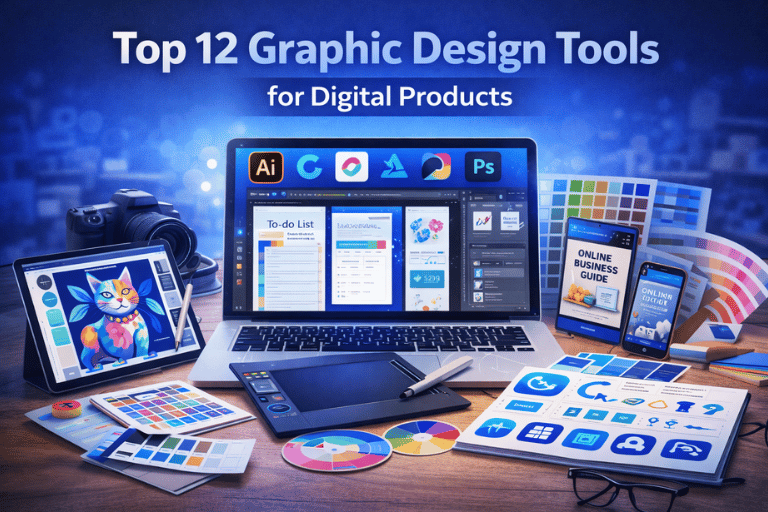
In this guide, you will learn the top 12 graphic design tools for digital products. You will understand what each tool does, when to use it, and when not to use it.
Top 12 Graphic Design Tools for Digital Products
1. Canva
What It Is
Canva is a browser-based design platform for creating social media posts, planners, presentations, and digital templates.
Why You Need It
It is beginner friendly. No design experience required.
When to Use It
Use Canva for quick marketing graphics, digital planners, and editable templates.
When Not to Use It
Avoid it for complex photo manipulation or advanced branding projects.
How to Use Canva (Simple Steps)
- Open Canva.com
- Choose template size
- Edit text and images
- Download in PNG or PDF
Common Mistakes
- Using too many fonts
- Ignoring brand colors
- Overcrowding layout
2. Adobe Photoshop
What It Is
Professional image editing software.
Why You Need It
Full control over layers and effects.
When to Use It
Use for advanced design, mockups, or high-quality product covers.
When Not to Use It
Not ideal for beginners.
How to Use (Basic Steps)
- Open PSD file
- Edit layers
- Adjust effects
- Export design
3. Adobe Illustrator
What It Is
Vector design software for logos and scalable graphics.
Why It Matters
Vector graphics do not lose quality when resized.
Best For
Logo design, icons, branding kits.
4. Figma
What It Is
Cloud-based design tool for UI and digital layouts.
Why You Need It
Great for collaboration.
When to Use
Design digital product dashboards or app templates.
5. Affinity Designer
Affordable alternative to Illustrator.
Good for vector and layout design without subscription.
6. Procreate
Used for digital drawing on iPad.
Best for custom illustrations in digital products.
7. Visme
Online design tool for presentations and infographics.
Helpful for ebooks and educational PDFs.
8. CorelDRAW
Professional vector editing tool.
Popular in print industry.
9. Inkscape
Free open-source vector editor.
Good beginner alternative.
10. GIMP
Free Photoshop alternative.
Useful for basic photo editing.
11. Pixlr
Browser-based photo editor.
Quick edits without installing software.
12. Snappa
Simple tool for social media graphics.
Best for quick content creation.
Comparison: Canva vs Photoshop
| Feature | Canva | Photoshop |
|---|---|---|
| Beginner Friendly | Yes | No |
| Advanced Editing | Limited | Full Control |
| Cost | Free + Pro | Subscription |
| Collaboration | Yes | Limited |
Benefits of Using Graphic Design Tools
✔ Free options available
✔ Fast workflow
✔ Secure processing
✔ No image stored (browser tools)
✔ No watermark (paid plans)
✔ Works on mobile (some tools)
✔ Browser-based options available
Read more: Canva vs PSD Templates – Which One Should You Choose?
Trust & Security
Many browser-based tools process files locally.
No image stored permanently.
Secure processing with privacy focus.
FAQ
What is the best graphic design tool for beginners?
Canva is easiest for beginners.
Which tool is best for professional designers?
Photoshop and Illustrator offer advanced control.
Are free design tools good enough?
Yes, for many digital products.
Do I need Photoshop to sell digital templates?
No. Many sellers use Canva.
Which tool works on mobile?
Canva and Procreate support mobile devices.
Is Figma good for digital product UI design?
Yes, especially for collaborative projects.
Can I create print-ready designs with Canva?
Yes, but check export settings carefully.
Which tool is best for logo design?
Illustrator or Affinity Designer are better choices.
Conclusion
Choosing the right graphic design tool for digital products depends on your skill level and goals.
If you want speed and simplicity, Canva works well.
If you want advanced control, Photoshop or Illustrator may be better.
Start with one tool. Master it. Then expand if needed.
If you are creating digital bundles, templates, or planners, explore ready-made design assets and tools to speed up your workflow.
Download and start building smarter today.
Leave a Reply