
Introduction
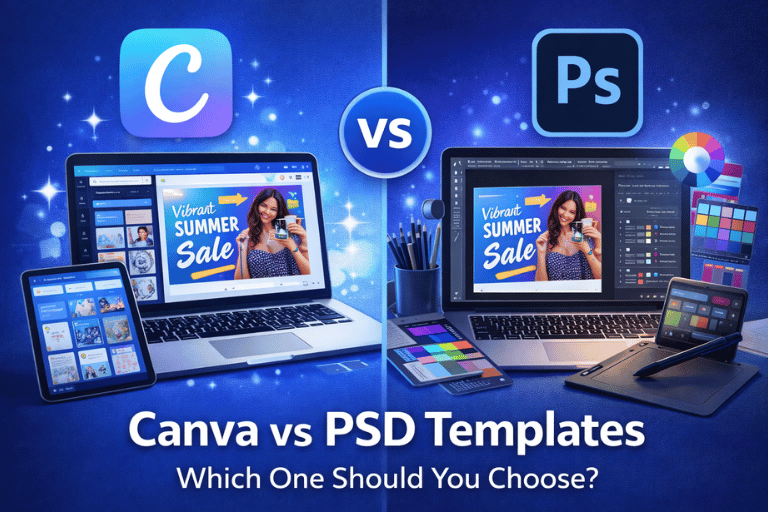
If you create social media posts, digital products, presentations, or marketing graphics, you have probably faced this question: should you use Canva templates or PSD templates?
Both are powerful. Both are popular. But they are built for very different types of users.
Many beginners choose PSD because it looks professional. Others choose Canva because it feels easy. The real answer depends on your skills, goals, and workflow.
In this guide, I will break down Canva vs PSD templates in simple terms. You will understand the real differences, pros and cons, pricing, flexibility, and which one makes sense for your situation. By the end, you will know exactly what to choose.
What Are Canva Templates?
Canva templates are pre-designed layouts you edit inside Canva’s online editor.
You do not need to install software. You open Canva in your browser, customize text, colors, images, and download your design.
They are widely used for:
- Instagram posts and Reels
- Pinterest pins
- Planners and printables
- Ebooks and workbooks
- Presentations
Canva is beginner friendly and cloud based.
What Are PSD Templates?
PSD templates are design files created in Adobe Photoshop.
You need Photoshop software to open and edit them.
PSD files allow deep customization. You can edit layers, effects, blending modes, shadows, and advanced typography.
They are commonly used by:
- Professional designers
- Branding agencies
- Print studios
- Advanced marketers
PSD gives more technical control, but it requires skill.
Key Difference in One Sentence
Canva templates are simple and accessible.
PSD templates are powerful and technical.
Now let’s go deeper.
Ease of Use: Which One Is Simpler?
Canva wins for ease of use.
You drag and drop. You click and edit. No design background required.
PSD requires knowledge of layers, masks, smart objects, and Photoshop tools.
If you are new to design, Canva removes friction.
If you are a designer, PSD gives creative freedom.
Software Requirements
Canva works in your browser.
PSD requires Adobe Photoshop, which is a paid subscription.
This matters if you want low startup cost.
Canva free plan works for many tasks. Photoshop requires monthly payment.
Offical reference:
https://www.adobe.com/products/photoshop.html
Design Flexibility and Control
PSD templates offer deeper customization.
You can:
- Adjust layer effects precisely
- Use advanced blending
- Modify shadows and lighting
- Create complex compositions
Canva offers customization, but within limits.
You cannot access advanced Photoshop tools inside Canva.
For high-end branding work, PSD often feels stronger.
Speed of Creation
Canva is faster for everyday content.
You can create social media graphics in minutes.
PSD projects often take longer because of detailed editing.
For creators posting daily, Canva saves time.
Collaboration and Team Work
Canva allows real-time collaboration.
Team members can comment and edit together.
PSD files usually require sending files back and forth.
For agencies working with clients, Canva simplifies workflow.
File Size and Performance
PSD files can be large.
High-resolution designs increase file size quickly.
Canva works in the cloud, so you do not manage heavy local files.
For low-spec laptops, Canva feels lighter.
Pricing Comparison
Canva offers a free plan and a Pro plan.
Photoshop requires subscription.
If budget matters, Canva is cheaper to start.
official reference:
https://www.canva.com/pricing/
Best Use Cases for Canva Templates
Canva works best for:
- Social media content
- Reels and short videos
- Printable planners
- Lead magnets
- Quick marketing materials
If you sell digital downloads like planners, templates, or ebooks, Canva is often enough.
You can explore ready-made Canva bundles here.
Best Use Cases for PSD Templates
PSD is better for:
- Advanced brand identity design
- High-end client work
- Complex photo manipulation
- Print-ready large format designs
If you work as a professional designer, PSD gives more control.
Canva vs PSD for Selling Digital Products
If you plan to sell templates online, this decision matters.
Many buyers prefer Canva templates because they are easy to edit.
PSD templates usually attract designers, not beginners.
For example, Canva templates sell strongly on marketplaces because buyers want simplicity.
You can read more about that here:
https://pixbundle.com/blog/canva-templates-that-sell-on-etsy
Canva vs PSD for Instagram and Social Media
For daily social media content, Canva is practical.
It includes built-in animation, resizing, and quick export.
PSD requires exporting manually and adjusting dimensions carefully.
If speed matters, Canva wins.
Canva vs PSD for Print Quality
PSD files offer more precise color control.
Professional printers often prefer layered Photoshop files.
Canva supports print exports, but color precision may not match Photoshop.
If print accuracy is critical, PSD may be safer.
Long-Term Scalability
If you plan to grow a brand, think long term.
Many businesses start with Canva, then move to more advanced tools later.
Others stay with Canva because speed matters more than complexity.
There is no universal answer.
Which One Should Beginners Choose?
If you are new to design, choose Canva.
It removes technical barriers.
You can focus on content instead of tools.
Which One Should Designers Choose?
If you already know Photoshop, PSD gives deeper control.
You can produce more refined results.
It depends on your skill level.
Common Mistakes People Make
- Choosing PSD without knowing Photoshop
- Expecting Canva to replace professional design software
- Ignoring buyer preferences when selling templates
- Switching tools too often
Choose based on your real needs.
FAQs
Is Canva better than PSD
It depends on your skill level and project type.
Do professionals use Canva
Yes, many marketers and agencies use Canva for speed.
Are PSD templates higher quality
They allow more control, but quality depends on the designer.
Can I convert PSD to Canva
Not directly. You usually need to recreate the design.
Which is better for selling templates
Canva often sells better because it is easier for buyers.
Do I need Canva Pro
Not always, but Pro adds useful features.
Is Photoshop hard to learn
It has a learning curve but offers powerful tools.
Can I use Canva for print products
Yes, but check color settings carefully.
Which tool is better for Instagram Reels
Canva is easier and faster.
Conclusion
Canva vs PSD is not about which is better. It is about which fits you.
If you want speed, simplicity, and collaboration, Canva is the smart choice.
If you want deep control, advanced editing, and professional design flexibility, PSD makes sense.
For most creators, small businesses, and digital product sellers, Canva is practical and scalable.
If you want professionally structured Canva bundles ready to customize or sell, explore Pixbundle today.
Browse our digital assets here: https://pixbundle.com/shop
Start with the right tool. Build smarter. Create consistently.
Leave a Reply