

Introduction
Designers spend more time searching than creating.
You open a project, know the idea in your head, but waste 30 minutes looking for the right icon, texture, or PNG element. Then another 20 minutes adjusting inconsistent graphics.
It slows down creativity.
The right graphics and PNG bundles solve this problem. Instead of hunting assets one by one, you get a structured collection ready to use.
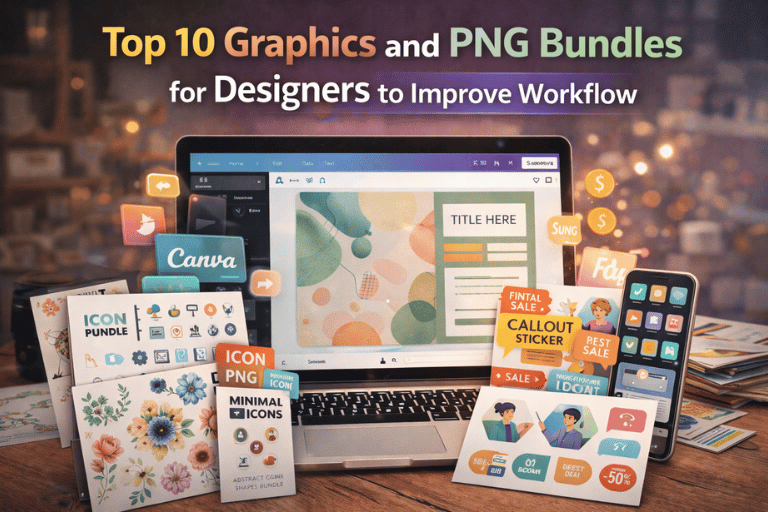
In this guide, you’ll discover 10 practical graphics and PNG bundles designers rely on. These bundles help speed up workflow, improve visual quality, and make client projects look more polished without extra effort.
Quick Answer
What are graphics and PNG bundles for designers?
They are organized collections of high-quality design assets like transparent PNG elements, icons, textures, illustrations, and overlays that help designers create faster and more consistently.
Why This Matters for Designers
Why Most Designers Waste Time Searching for Assets
Too many scattered files.
Random downloads from different websites.
Inconsistent styles across projects.
Low-quality PNGs with poor resolution.
When assets don’t match visually, projects feel unprofessional.
Clients notice inconsistency.
Having structured bundles saves time and improves design quality instantly.
What Makes a Good Graphics or PNG Bundle
Before jumping into the list, here’s what matters:
- High resolution files
- Transparent background PNG format
- Consistent style
- Commercial use clarity
- Organized folders
A bundle is not valuable because it has 5,000 files.
It’s valuable because it’s usable.
Top 10 Graphics and PNG Bundles for Designers
1. Social Media Graphics Bundle
This bundle usually includes:
- Post frames
- Story templates
- Decorative PNG shapes
- Highlight icons
- Engagement stickers
Perfect for designers handling Instagram, Pinterest, or TikTok branding.
Instead of building layouts from scratch, you drag, adjust, and publish.
If you work on content-heavy projects, explore structured digital bundles like those available on Pixbundle’s shop section for ready-to-use assets.
2. Minimal Icon PNG Bundle
Icons are small but powerful.
A minimal icon bundle typically includes:
- Business icons
- UI icons
- Social icons
- Productivity symbols
- Communication elements
These PNG files work well in websites, presentations, and mobile designs.
Consistency in icon style improves professionalism immediately.
3. Abstract Shapes and Elements Bundle
Modern designs rely heavily on abstract shapes.
A good bundle contains:
- Organic blobs
- Soft gradients
- Layered shapes
- Decorative frames
- Cutout overlays
These elements add depth without making designs messy.
4. Branding Graphics Bundle
Branding projects need cohesive elements.
This bundle usually includes:
- Logo mockups
- Stationery layouts
- Brand pattern PNGs
- Texture overlays
- Packaging templates
It helps designers present branding concepts in a realistic way.
For designers working on digital branding kits, you may also find value in Canva template resources discussed in our guide on Canva templates that sell on Etsy.
5. Watercolor PNG Bundle
Watercolor assets are popular for:
- Wedding invitations
- Creative portfolios
- Lifestyle branding
- Social media creatives
The bundle often includes:
- Floral elements
- Brush strokes
- Decorative frames
- Artistic splashes
Transparent PNG format makes layering easy.
6. Texture and Overlay Bundle
Flat designs can feel dull.
Texture bundles include:
- Paper textures
- Film grain overlays
- Light leaks
- Dust effects
- Vintage scratches
These elements add realism.
Used carefully, they elevate basic layouts instantly.
7. E-commerce Product Graphics Bundle
Designers working with online stores need:
- Sale badges
- Discount stickers
- Callout arrows
- Trust icons
- Price highlight elements
These PNG assets increase clarity and conversion.
They are especially useful when designing for Shopify or Etsy sellers.
For comparison insights on selling platforms, see our breakdown of Gumroad vs Etsy vs Shopify for digital downloads.
8. Illustration PNG Bundle
Illustration packs usually contain:
- Character sets
- Scene elements
- UI illustrations
- Isolated objects
- Business-themed artwork
They are useful for landing pages and presentations.
High-resolution PNG ensures flexibility across print and digital.
9. Presentation Graphics Bundle
For pitch decks and client proposals.
Includes:
- Data icons
- Decorative charts
- Section dividers
- Background graphics
- Callout shapes
Instead of generic slides, you create visually engaging presentations.
10. Seasonal and Event Graphics Bundle
Seasonal content drives engagement.
This bundle may include:
- Holiday PNG elements
- Festive backgrounds
- Celebration icons
- Event badges
- Promotional overlays
Designers working in marketing benefit from having these ready.
How to Choose the Right Bundle
Not every bundle fits every designer.
Ask yourself:
- What type of clients do I serve?
- Do I design more for social media or branding?
- Do I need creative elements or business-focused icons?
Choose bundles that align with your workflow.
How to Use These Bundles Efficiently
Step 1 – Organize Your Assets
Create folders by category.
Social, branding, overlays, icons.
This saves time later.
Step 2 – Create a Reusable Design System
Build templates using your favorite PNG elements.
Save styles, colors, spacing.
This creates consistency.
Step 3 – Use Smart Layering
Avoid overloading designs.
Use overlays subtly.
Balance space.
Step 4 – Test Across Platforms
Check resolution.
Ensure PNG clarity on mobile and desktop.
Transparent files should not pixelate.
Who These Bundles Are For
- Freelance graphic designers
- Social media managers
- Branding agencies
- UI/UX designers
- E-commerce designers
- Content creators
Even beginners benefit from structured bundles.
Common Mistakes Designers Make
Downloading Random Assets
Random files create style inconsistency.
Stick to cohesive bundles.
Ignoring Licensing
Always verify commercial use.
Platforms like Canva and Etsy explain usage rules clearly on their official pages.
For platform insights, you can review Etsy’s seller handbook:
https://www.etsy.com/seller-handbook
Overusing Effects
Textures and overlays are helpful.
Too many ruin clarity.
Not Backing Up Assets
Organize cloud backups.
Design files are investments.
Frequently Asked Questions
1. What is the difference between graphics and PNG bundles?
Graphics bundles may include PSD, AI, or vector files.
PNG bundles specifically provide transparent background files ready for drag-and-drop use.
2. Are PNG bundles better than vectors?
PNG is easier for quick layering.
Vectors are better for resizing without quality loss. Designers often use both.
3. Can beginners use these bundles?
Yes.
Most bundles are plug-and-play. You only need basic design software knowledge.
4. Do I need expensive software to use PNG bundles?
No.
PNG files work in Canva, Photoshop, Illustrator, and many other tools.
5. Are these bundles suitable for client work?
Yes, if the license allows commercial use.
Always review terms before using assets for paid projects.
6. How many PNG files should a bundle include?
Quality matters more than quantity.
A well-organized bundle with 100 consistent elements is better than 2,000 random ones.
7. Do PNG files lose quality?
Only if exported in low resolution.
High-resolution PNG files maintain clarity for digital use.
8. Can I sell designs created using PNG bundles?
Usually yes, but not the raw files themselves.
Check the specific license.
9. Where can I find structured digital bundles?
Platforms like Etsy, Gumroad, and independent stores offer them.
Curated collections like those available on Pixbundle focus on organized downloadable assets.
10. How do bundles improve workflow speed?
You reduce search time.
You create faster.
You maintain consistency across projects.
Conclusion
Design should feel creative, not stressful.
The right graphics and PNG bundles remove friction from your workflow. They save time, improve consistency, and help you deliver stronger results to clients.
You do not need thousands of scattered files.
You need organized, high-quality assets that match your design style.
Explore More
Browse structured graphics and digital asset bundles to simplify your design workflow.
Explore available downloadable resources and start building a cleaner, faster design system today.
Leave a Reply