


Introduction
Managing classes, assignments, exams, and personal life at the same time is not easy for students. Most students start the semester motivated, but after a few weeks, deadlines pile up and things feel messy.
A Notion student planner solves this problem by putting everything in one place. Instead of using multiple apps, notebooks, or reminders, you can manage your daily schedule, exams, and study plans inside one simple dashboard.
In this guide, you will learn how a free Notion student planner template works, what it includes, and how it helps you stay organized without stress. This article is written for students who want clarity, not complicated systems.
Why Students Are Switching to Notion Planners
Students want tools that are flexible and easy to use.
Notion works because it adapts to your routine. You can plan your day, track exams, and update tasks without rigid rules.
Unlike paper planners, Notion planners are always accessible on your phone or laptop.
What Is a Notion Student Planner Template
A Notion student planner template is a pre-built workspace.
It already includes pages and sections for daily schedules, exams, tasks, and notes.
Instead of creating everything from scratch, you duplicate the template and start using it instantly.
What This Free Notion Student Planner Includes
This free template focuses on what students actually need.
It avoids unnecessary complexity.
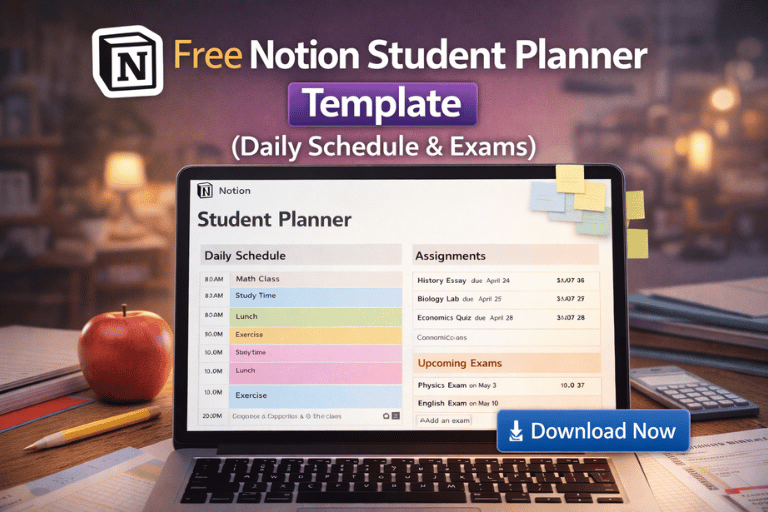
1. Daily Schedule Section
The daily schedule helps you plan your day hour by hour.
You can add classes, study time, breaks, and personal tasks.
This helps you see where your time goes.
2. Exam Planner Section
The exam section is designed to reduce last-minute panic.
You can add exam dates, subjects, priority level, and preparation status.
Seeing all exams in one view helps you plan better.
3. Assignment and Task Tracker
This section keeps track of homework, projects, and submissions.
You can mark tasks as pending, in progress, or completed.
This simple system prevents missed deadlines.
4. Notes and Study Resources
Students often lose notes across devices.
This planner includes a space for lecture notes and study links.
Everything stays organized by subject.
How a Notion Planner Improves Study Focus
Clutter reduces focus.
When your tasks and exams are visible, your brain feels lighter.
A planner reduces mental load so you can focus on studying instead of remembering.
Who Should Use This Free Notion Student Planner
This template is ideal for:
- School students
- College and university students
- Online learners
- Exam-focused students
If you want a simple structure, this planner fits well.
How to Use the Free Notion Student Planner
Using the planner is simple.
First, duplicate the template to your Notion workspace.
Then customize subjects, exam dates, and daily routines according to your schedule.
Spend five minutes daily updating it.
Why Free Templates Are a Great Starting Point
Free templates help you build habits.
You can test what works before moving to advanced planners.
Many students later upgrade to more detailed planners once they understand their needs.
You can explore other productivity templates here: https://pixbundle.com/shop
Helpful official resources:
https://www.notion.so/templates
https://www.notion.so/help
Common Mistakes Students Make With Planners
- Overplanning every minute
- Not updating daily
- Using too many templates
- Ignoring exam timelines
Keeping it simple works best.
FAQs
Is this Notion student planner really free
Yes. You can duplicate and use it without payment.
Do I need Notion Pro to use this template
No. The free Notion plan is enough.
Can I use this planner on my phone
Yes. Notion works on mobile and desktop.
Is this planner suitable for exam preparation
Yes. The exam section is designed for planning and tracking exams.
Can I customize the planner
Yes. You can add or remove sections easily.
Does this work for university students
Yes. It works for school, college, and university levels.
How often should I update it
Daily updates work best.
Can I share this planner with others
You can share it if sharing permissions allow.
Is Notion better than paper planners
For flexibility and access, yes.
Conclusion
A free Notion student planner helps you stay organized without pressure.
It brings your daily schedule, exams, and tasks into one clear system.
If you want more advanced planners, study systems, or productivity templates, explore Pixbundle.
Visit the Pixbundle homepage to get started: https://pixbundle.com
Stay organized. Study smarter. Stress less.
Leave a Reply